

Virus Removal in Swarthmore, PA
Stop pop-ups, slowdowns, and suspicious activity fast with NerdsToGo - Swarthmore, PA
If your computer suddenly feels sluggish, your browser keeps redirecting, or you’re seeing scary “Your device is infected” messages, you may be dealing with a virus or broader malware infection. NerdsToGo - Swarthmore, PA provides professional virus removal in Swarthmore, PA 19081 to clean infected systems, protect your accounts, and get your device back to reliable performance. Our approach focuses on thorough detection, safe removal, and practical hardening so you’re not back in the same situation next week.
Whether you use a Windows laptop for work, a family desktop for school, or a Mac for creative projects, our technicians can identify what’s happening and recommend the quickest, safest fix. If you’re not sure what you’re seeing, the best next step is to schedule a diagnostic and let us confirm what’s infected and what’s at risk.
Call now for fast, professional Virus Removal in Swarthmore, PA—contact us today at (484) 309-5645 to restore a safe, clean environment.
Virus vs. malware vs. spyware vs. ransomware: what’s the difference?
People often use “virus” as a catch-all term, but most real-world infections today fall under the broader category of malware (malicious software). A traditional virus is code that attaches to legitimate files/programs and replicates, often spreading by user actions. Modern threats more commonly arrive as trojans, malicious browser extensions, drive-by downloads, or bundled installers that sneak in when you click “Next” too quickly.
Spyware is designed to watch you—tracking browsing activity, capturing keystrokes, or collecting credentials and personal data. Ransomware is the most disruptive: it encrypts your files (or entire drive) and demands payment for a decryption key. Some ransomware strains also steal data before encrypting it, which turns the situation into both a recovery problem and a privacy risk.
Because each type of threat behaves differently, effective computer virus removal isn’t just “run an antivirus scan and hope.” It requires confirming persistence mechanisms, cleaning hidden components, checking system integrity, and verifying that your accounts and browsers are safe. If you suspect malware in Swarthmore, the next step is to stop using the device for banking/email and bring it in for assessment.
Signs your computer has a virus or malware infection
Many infections try to stay quiet, but there are common warning signs. If you notice one of these issues, it’s worth treating it as suspicious—especially if symptoms appear suddenly or after installing new software, opening an email attachment, or clicking a link.
- Unusual slowness, frequent freezing, or high CPU/disk usage when you’re not doing much
- Pop-ups, fake security alerts, or browser redirects to unfamiliar sites
- New toolbars/extensions you didn’t install, or your homepage/search engine changed
- Antivirus disabled, updates failing, or security settings changing on their own
- Unknown programs in startup items, Task Manager, or Applications
- Files missing, renamed, or suddenly unreadable (possible ransomware encryption)
- Friends receiving strange messages from your email or social accounts
- Network activity when the computer is idle, or suspicious login alerts
If you’re seeing these symptoms in Swarthmore, PA 19081, avoid entering passwords and don’t plug in backup drives until the device is checked. The next step is a professional diagnostic so we can confirm whether it’s adware, spyware, ransomware, or another malware variant and recommend the safest fix.
How long does virus removal take, and can it be done without losing files?
How long does virus removal take on a computer? The timeline depends on the infection type, the speed/health of the drive, and whether system files are damaged. Straightforward adware or browser-hijacker cleanups can sometimes be handled in a few hours, while deeper malware removal may take 1–2 business days due to multi-stage scanning, cleanup, patching, and verification. Ransomware cases or systems with failing drives can take longer because recovery and data protection become the priority.
Can a virus be removed without losing files? In many cases, yes. Our goal is always to remove malicious components while preserving documents, photos, and business files whenever it’s safe to do so. However, some situations require extra caution—especially ransomware encryption, severe operating system corruption, or infections that have compromised user profiles. When needed, we’ll recommend a backup-first plan and may suggest a data-focused service such as data backup and recovery before attempting major repairs.
Can you remove a virus from a Mac, or is it only Windows? We remove malware from both Windows PCs and Macs. While Windows is targeted more often, macOS can still be impacted by adware, browser hijackers, credential-stealing malware, and malicious “cleaner” apps. If your Mac is showing persistent pop-ups, unknown profiles, suspicious login items, or odd browser behavior, the next step is the same: stop using sensitive accounts and schedule a professional evaluation.
Professional virus removal cost: what to expect in Swarthmore, PA
How much does professional virus removal cost? Pricing varies based on the complexity of the infection, whether you need data recovery, and whether system repair is required after cleanup. In many markets, professional malware removal commonly ranges from about $100 to $300+, while severe infections that involve ransomware response, extensive OS repair, or data restoration can cost more. The most accurate way to estimate cost is a diagnostic, because the “virus” could be simple adware—or it could be a credential-stealing trojan that requires additional security steps.
It’s also important to consider value, not just price. A quick DIY attempt can remove surface symptoms but leave behind scheduled tasks, rogue extensions, or persistence tools that reinfect the machine. Professional service focuses on complete removal, system stabilization, and verification, plus practical steps to reduce the chance of recurrence. If you’re deciding whether to repair or replace, we can also advise whether your device is worth investing in and, if needed, coordinate broader computer repair to address crashes, overheating, or storage issues uncovered during cleanup.
For an accurate recommendation in Swarthmore, PA 19081, the next step is to book an evaluation with NerdsToGo - Swarthmore, PA so we can confirm the infection type and outline your options clearly.
Virus removal service vs. reinstalling Windows: which is better—and does antivirus remove everything?
Virus removal service vs. reinstalling Windows: which is better? Reinstalling Windows can be effective because it wipes the operating system and removes many threats, but it isn’t always the best first choice. A reinstall takes time, requires reinstalling applications, restoring settings, and ensuring your files are properly backed up and malware-free. It also doesn’t automatically fix issues like compromised passwords, malicious browser sync, infected backups, or firmware-level concerns. Professional malware removal is often preferable when you need minimal disruption and want to preserve programs and configurations—especially for work or school devices.
Does antivirus software remove all malware, or do you need a technician? Antivirus is an important layer, but it doesn’t catch everything and it doesn’t always reverse the changes malware makes to browsers, network settings, system policies, or startup routines. Some infections use “living off the land” techniques that look like normal Windows activity, while others block security tools outright. A technician becomes especially valuable when you’re seeing recurring reinfections, account compromise, unknown remote access tools, ransomware notes, or security software that won’t run.
If you’re unsure which path is safest—cleanup vs. reset vs. full reinstall—NerdsToGo - Swarthmore, PA can evaluate the system and recommend the option that best balances security, speed, and file safety. If you need help after cleanup with ongoing protection, ask about ongoing security and support services for households and small offices.
Ransomware removal and encrypted file recovery: what’s possible?
How to remove ransomware and recover encrypted files depends on the specific strain and whether encryption has completed. The first step is containment: disconnect from Wi-Fi/Ethernet and stop using the machine to prevent further encryption or spread to shared drives. Next, we identify the ransomware variant, determine whether the encryption is active, and check whether known decryptors exist. In many cases, removal is possible, but removal does not automatically decrypt files—decryption requires a valid key or a viable restoration strategy.
Recovery options typically include restoring from verified backups, recovering previous versions (where available), or using specialized tools when applicable. If backups are present but connected during the attack, they may also be affected, so we handle restoration carefully to avoid reinfection. If you’re dealing with ransomware in Swarthmore, PA 19081, your next step is to bring the device in promptly so we can assess containment, removal, and realistic recovery paths, and help you secure accounts that may have been exposed.
How to know if a virus is gone after removal (and what to do next)
How to know if a virus is gone after removal requires more than “it seems faster now.” Proper verification includes clean scan results across reputable tools, confirmation that malicious persistence points are removed (startup entries, scheduled tasks, services, browser policies/extensions), and validation that system updates and security features function normally. We also check for indicators of compromise such as suspicious remote access software, altered DNS/proxy settings, and unauthorized browser sync behavior that can reintroduce threats.
After cleaning, the most important next step is securing your digital life. That typically means changing passwords from a known-clean device, enabling multi-factor authentication, updating the operating system and browsers, and confirming backups are working. If you want a stronger prevention plan, we can help set up safer backup routines and endpoint protection; you can also explore backup solutions so you’re protected if ransomware or drive failure happens again.
Ready to get your computer cleaned up in Swarthmore, PA 19081? Contact NerdsToGo - Swarthmore, PA to schedule professional virus removal, malware cleanup, or ransomware guidance. Bring your device in as soon as possible—especially if you suspect spyware, credential theft, or file encryption—so we can diagnose the issue, explain your options, and get you back to a secure, stable system.
Don’t wait to protect your space—contact us for expert Virus Removal in Swarthmore, PA at (484) 309-5645 and get help immediately.


-
“Nerds to go did a great job for us. My parents are older and it’s hard for me to do things like set up their computer, or take care of problems as they arise. This surface has been a godsend for us, as they will actually go to my parents!”Nick
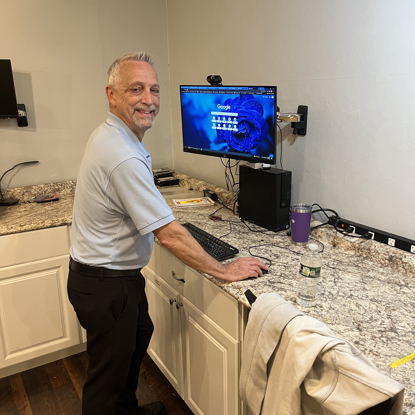
Hello! My name is Jeff. I started my career in Corporate IT in 1981 as a Systems/Network Engineer. In 2012, I transitioned to managing a team of IT Engineers and Architects until March of 2022.
After 41 years in Corporate IT, I had the opportunity to join the NerdsToGo team and go back to what I love doing...working as an Engineer solving computer/networking problems while meeting and interacting with my customers. I love providing excellent service to our NerdsToGo customers!
When I am not working l enjoy spending time with my wife, my extended family and friends. My wife and I love to hang out together, go on day trips and visit our son in Pittsburgh. We love vacationing in New Hampshire in the summer, boating, hiking and enjoying the beautiful mountain ranges.
My favorite sports teams are the Philadelphia Flyers, Eagles and Phillies. My favorite pizza is Manco and Manco in Ocean City, New Jersey.