

Computer Repair in Swarthmore, PA
Local computer repair for Swarthmore homes and small businesses
NerdsToGo - Swarthmore, PA provides professional computer repair in Swarthmore, PA 19081, helping families, students, and local businesses get back to work quickly and securely. Whether you’re dealing with a slow laptop, a desktop that won’t turn on, suspicious pop-ups, or a system that keeps crashing, our technicians focus on accurate diagnosis first so the fix is the right one—not a guess. We work on Windows PCs and Apple computers, and we can often help through a mix of in-shop service, on-site visits, or remote support depending on the issue and your schedule. If you’ve been searching “same day computer repair near me,” we’ll explain what can realistically be completed today and what requires parts or extended testing.
Our approach is simple: protect your data, restore performance, and reduce the chance the problem returns. That may include hardware replacement, operating system repair, performance optimization, or security hardening to prevent repeat infections and data loss. If you already know what you need, you can also explore related services like laptop repair or a preventive computer tune-up, and then contact us to schedule the right appointment. For immediate next steps, bring your device in (with its charger if it’s a laptop) and share what changed right before the issue started.
Contact us today for fast, reliable Computer Repair in Swarthmore, PA. Call us now at (484) 309-5645 to get your device fixed quickly.
How much does computer repair cost at NerdsToGo®?
Computer repair cost depends on the problem, the device type, and whether parts are needed, so NerdsToGo® focuses on transparent estimates after diagnosis. Many issues can be resolved with software repair or configuration changes, while others require hardware such as a new battery, charger, storage drive, screen, or power components. After we evaluate your computer, we’ll explain the recommended repair, the expected benefits, and the full cost before any major work begins, so you can make an informed decision. If you’re comparing options, we can also outline what a “minimal fix” looks like versus a “best long-term fix,” especially for older systems.
Several factors influence pricing: severity of the issue, time required for testing, the complexity of disassembly (common with ultra-thin laptops), and the cost/availability of replacement parts. Virus and malware cleanups may involve multiple scans, manual removal, browser and startup repairs, and security updates to prevent reinfection—work that can vary widely based on what’s installed and how deeply it’s embedded. Performance repairs may include storage upgrades (like moving from HDD to SSD), memory recommendations, and operating system repairs that improve speed and stability. The fastest way to get an accurate number is to schedule an evaluation and request an itemized plan; we’ll walk you through options and next steps before proceeding.
How long does a typical computer repair take—and do you offer same-day computer repair near me?
Typical computer repair time depends on whether the issue is software-related, hardware-related, or a combination of both. Many common problems—like PC tune-ups, basic virus removal, driver issues, startup errors, or replacing a laptop charger—can often be completed the same day when the device is dropped off early and parts are not required. More involved repairs such as operating system rebuilds, extensive malware infections, liquid damage assessment, or hardware diagnostics that require stress testing may take longer because we prioritize stability and data protection over quick but unreliable fixes. If you need urgent help in Swarthmore, PA, tell us your deadline and we’ll confirm what is feasible.
Repairs that require parts can extend turnaround time based on part availability and shipping, especially for certain laptop models. Data recovery and file restoration can also take additional time because safe recovery involves imaging, scanning, and verifying results rather than repeatedly powering on failing hardware. If your system is mission-critical, ask about alternatives like temporary workstation setup, secure data transfer, or a stopgap solution that gets you productive while the full repair is completed. For a clear next step, contact NerdsToGo - Swarthmore, PA with your device model and symptoms so we can provide a realistic schedule and whether same-day service is available.
Is it better to repair or replace my computer?
Deciding whether to repair or replace comes down to total value, not just the immediate repair price. If your computer is relatively new, has a quality processor, and meets your needs aside from one issue (like a failing drive, broken hinge, or malware infection), repair is often the smartest option—especially when the fix improves performance and extends lifespan. On the other hand, if the computer is very old, has recurring failures, or requires multiple major components (for example, motherboard plus screen plus battery), replacement may provide better long-term reliability. We’ll help you compare repair cost versus replacement cost with a practical, no-pressure recommendation.
A common scenario in Swarthmore is a slow PC that “feels old” but is actually being held back by a mechanical hard drive, low memory, too many startup programs, or years of accumulated software clutter. In many cases, a targeted upgrade and cleanup can deliver a noticeable speed increase for far less than a new computer, while keeping your familiar programs and workflow. If replacement is the better path, we can assist with secure data migration, setup, and protection so you don’t start over unprotected. Your next step is to bring the device in for a quick assessment so we can quantify what’s wrong and what improvement is realistic.
Can you fix a computer that won’t turn on? Power, boot, battery, and charger troubleshooting
Yes—NerdsToGo® can often fix a computer that won’t turn on, and the key is determining whether it’s a power problem or a boot problem. A true no-power issue may involve a failed power supply (desktop), a damaged charging port, a bad charger, a worn-out battery, or internal board-level faults. A boot issue, by contrast, may still show lights or fans but fail to load Windows/macOS due to drive failure, corrupted updates, or hardware conflicts. We test safely and systematically to avoid causing further damage, especially if the drive is failing and data recovery may be needed.
If you’re wondering how to know if a laptop needs a new battery or charger, look for signs like: the laptop only runs when plugged in, the battery percentage drops suddenly, charging stops at a low percentage, the battery is swollen, the charger light behaves inconsistently, or the charging cable/connector is frayed or gets hot. Another common clue is that the laptop shows “plugged in, not charging,” which can point to a battery at end-of-life, a charger that can’t deliver consistent wattage, or a power-management issue on the system. Bring the laptop and the charger you’ve been using so we can test both and confirm whether you need a battery replacement, a new adapter, or a deeper repair. For a related service, you can also review our laptop repair options and then schedule a diagnostic.
What causes a computer to run slow—and how do you fix it?
A slow computer is usually caused by a few predictable issues: too many startup programs, low free storage space, an aging hard drive, insufficient RAM, overheating from dust buildup, outdated drivers, or background malware. Sometimes the “slowness” is actually a failing drive that’s struggling to read data, which can also cause freezes and long boot times. Other times it’s software bloat—toolbars, trial programs, or multiple antivirus tools fighting each other—dragging performance down. Our technicians identify the real bottleneck so the fix improves speed instead of just temporarily masking symptoms.
Performance repair typically includes system health checks, startup optimization, storage cleanup, patching, and verifying the system is stable under load. When appropriate, we may recommend upgrades like replacing an HDD with an SSD, adding RAM, refreshing thermal paste, or improving airflow—changes that often produce the biggest real-world speed gains. If the slowdown is security-related, we’ll pair performance work with virus and malware removal to ensure the machine is clean and safe to use for banking, school, and work. If you suspect infection or pop-ups, visit our virus removal and malware cleanup service page and then contact NerdsToGo - Swarthmore, PA for the fastest path to a secure, responsive computer.
How do you remove viruses and malware—and can you recover deleted files from a hard drive or SSD?
Virus removal isn’t just running a scan; it’s a complete cleanup process designed to stop reinfection and restore safe browsing. We typically start by isolating the system, identifying suspicious processes and persistence methods, removing malicious software, repairing browser settings, and applying security updates. We also check for compromised accounts, risky extensions, and unwanted remote-access tools that can allow attackers back in. When cleanup is finished, we validate system integrity and recommend practical security steps so your computer stays protected after it leaves our care.
File recovery is often possible, but results depend on how the data was deleted and the type of storage. Traditional hard drives (HDDs) can sometimes allow recovery of deleted files if the space hasn’t been overwritten, while SSDs may be harder due to TRIM and background cleanup processes that permanently clear deleted blocks. If you need to recover deleted files from a hard drive or SSD, stop using the device immediately, because continued use can overwrite recoverable data. For deeper help, visit our data recovery service page and then bring the device to NerdsToGo - Swarthmore, PA so we can assess recovery options safely.
Will computer repair erase my files and programs?
Most computer repairs do not require erasing your files and programs, and our priority is always to protect your data. Many fixes—like replacing a battery, installing a new charger, removing malware, or optimizing performance—can be completed without wiping the system. However, certain situations such as severe operating system corruption, encrypted malware damage, or a failing drive may require an OS reinstall or data migration to new storage. If a repair could affect your files, we will explain the risks in advance and discuss backup and recovery options before proceeding.
When you’re concerned about photos, documents, schoolwork, or business records, ask us about backup planning and safe transfer options during intake. We can often create a secure backup before major repairs, and if the drive is failing, we can advise whether cloning, imaging, or recovery is the safest approach. This is also the best time to set up a more reliable protection plan so the next crash doesn’t become a crisis. To get started, contact NerdsToGo - Swarthmore, PA and request a diagnostic appointment for computer repair in Swarthmore, PA 19081—tell us your symptoms, your deadline, and whether data protection is your top priority so we can schedule the right service level.
Ready to fix your computer today? Schedule computer repair with NerdsToGo - Swarthmore, PA in Swarthmore, PA 19081 for a clear diagnostic, an upfront plan, and fast turnaround options—including same-day computer repair when available. Bring your device and power accessories, and we’ll confirm the cause, the cost, and the best next step to get you back up and running.
Need expert Computer Repair in Swarthmore, PA? Contact us today or call (484) 309-5645 for immediate assistance and dependable service.


-
“Nerds to go did a great job for us. My parents are older and it’s hard for me to do things like set up their computer, or take care of problems as they arise. This surface has been a godsend for us, as they will actually go to my parents!”Nick
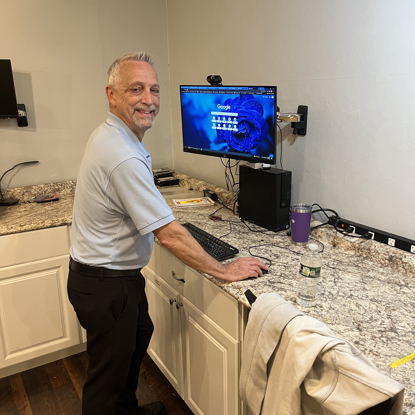
Hello! My name is Jeff. I started my career in Corporate IT in 1981 as a Systems/Network Engineer. In 2012, I transitioned to managing a team of IT Engineers and Architects until March of 2022.
After 41 years in Corporate IT, I had the opportunity to join the NerdsToGo team and go back to what I love doing...working as an Engineer solving computer/networking problems while meeting and interacting with my customers. I love providing excellent service to our NerdsToGo customers!
When I am not working l enjoy spending time with my wife, my extended family and friends. My wife and I love to hang out together, go on day trips and visit our son in Pittsburgh. We love vacationing in New Hampshire in the summer, boating, hiking and enjoying the beautiful mountain ranges.
My favorite sports teams are the Philadelphia Flyers, Eagles and Phillies. My favorite pizza is Manco and Manco in Ocean City, New Jersey.